

Tung Tung Tung Sahur AI Prompts for Cozy Family Scenes
Try 15 Tung Tung Tung Sahur AI Prompts for playful, family-friendly scenes, wallpapers, avatars, and photo transformations—with tips for a more consistent character.
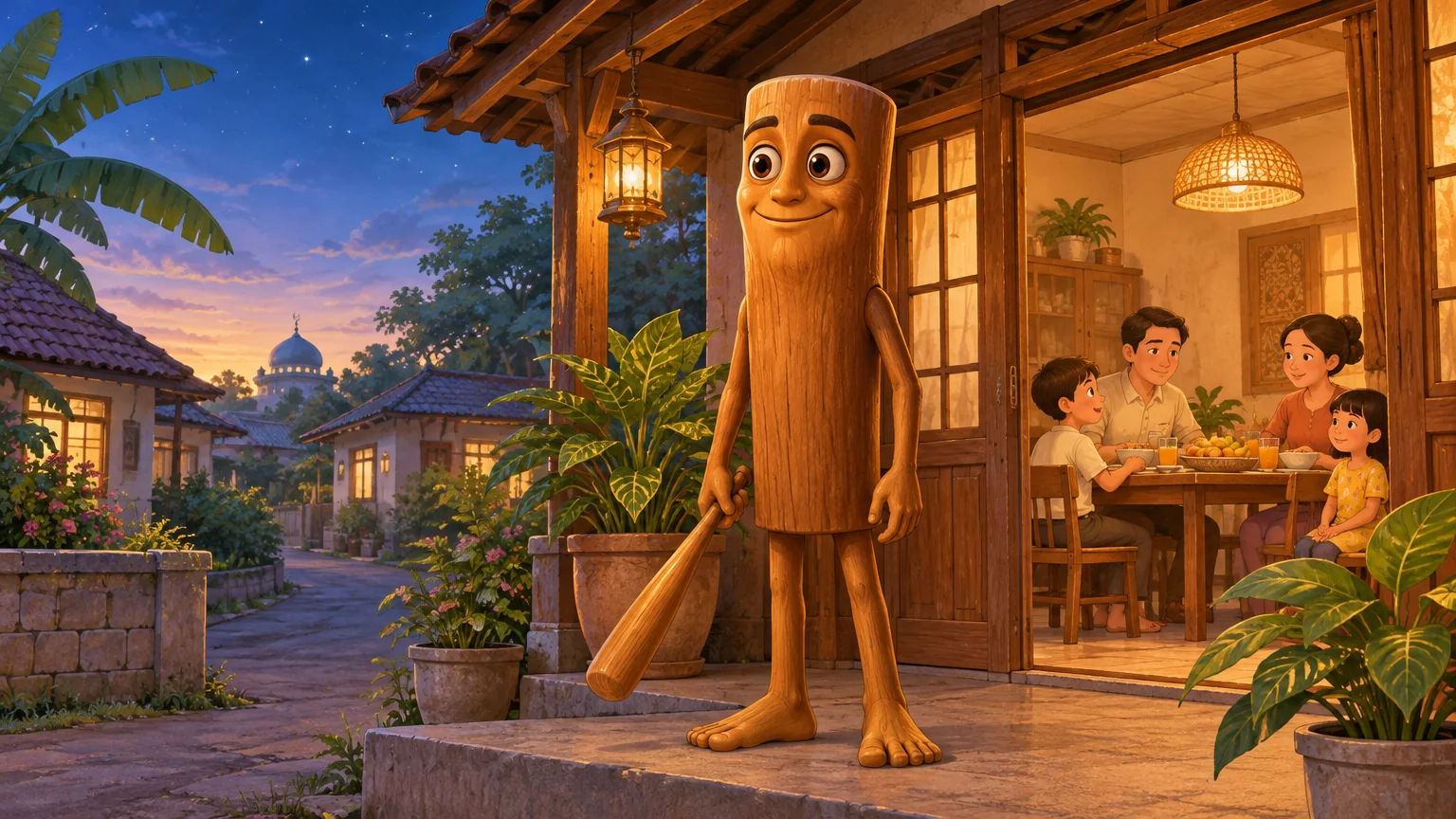
Tung Tung Tung Sahur AI Prompts can turn the viral wooden-log character into playful, family-friendly scenes, wallpapers, and avatars. Use the prompts below as written or adapt them for your image tool, keeping the character’s look consistent while making each scene your own.
What's new on this page
- 2026-11-26 — Page published. Added original Tung Tung Tung Sahur prompts with consistency tips.
A cozy way to use the meme
Tung Tung Tung Sahur is a 2025 viral “Italian brainrot” meme character: a tall, wooden log-like figure carrying a wooden bat. The name echoes the repeated drum call used to wake people for sahur, the pre-dawn meal during Ramadan in Indonesia. For the ideas here, the bat is a harmless prop—not a reason for a fight. Think cheerful neighborhood helper, sleepy-night visitor, or friendly character joining a family’s morning routine.
These prompts are designed for lighthearted images you could use as a phone background, profile picture, or family-friendly creative project. If your generator accepts a negative prompt, you can add: “no violence, no hitting, no threatening pose, no weapons beyond the character’s simple wooden bat, no extra limbs, no text.”
15 prompts for scenes, wallpapers, and avatars
Copy a prompt and add your preferred aspect ratio or image dimensions if your tool offers that option.
Character scenes
-
The gentle wake-up call
“A tall, friendly wooden log-like meme character named Tung Tung Tung Sahur standing on a quiet Indonesian neighborhood lane before dawn, holding a small wooden bat at his side like a drum prop, warm window lights, stars fading above rooftops, welcoming expression, cozy storybook illustration, no hitting or threatening anyone.” -
Breakfast-table guest
“Tung Tung Tung Sahur sitting politely at the end of a family sahur breakfast table, a caring family sharing dates, fruit, and warm drinks, soft pre-dawn blue light, relaxed smiles, respectful everyday atmosphere, whimsical children’s book art, bat resting safely beside his chair.” -
Lantern walk
“A tall wooden log-like character walking through a calm neighborhood with a glowing lantern, neighbors waving from their gates, peaceful night sky, gentle festive mood, warm illustrated textures, wooden bat carried downward and not in use.” -
Rainy-window visitor
“Tung Tung Tung Sahur outside a cozy home window on a light rainy night, smiling and holding a lantern, family silhouettes setting the breakfast table inside, droplets on glass, soft golden and midnight-blue palette, friendly and non-threatening.” -
Garden helper
“The wooden log character watering a small family garden at sunrise, colorful flowers and potted herbs, wooden bat leaned safely against a fence, cheerful gentle pose, bright handcrafted illustration, wholesome neighborhood scene.”
Wallpapers and avatars
-
Moonlit phone wallpaper
“Vertical phone wallpaper of Tung Tung Tung Sahur under a slim crescent moon, tiny stars and quiet rooftops in the background, character centered in the lower half with clear open sky above, cozy soft-grain illustration, calm colors, no lettering.” -
Family-friendly group wallpaper
“Wide wallpaper showing Tung Tung Tung Sahur waving beside a cheerful family on a porch before dawn, lanterns, potted plants, pale blue sky, warm welcoming faces, balanced composition with open space across the middle, gentle illustrated style, no text.” -
Simple profile avatar
“Close-up circular-avatar composition of a friendly tall wooden log character, kind eyes, small smile, simple wood grain, soft solid teal background, centered face with room around the edges, clean cartoon illustration, no bat in frame.” -
Sticker-style portrait
“A playful sticker-style portrait of Tung Tung Tung Sahur holding a tiny lantern, friendly expression, thick clean outline, warm wood tones, transparent-looking plain background, no words, no threatening gestures.” -
Cozy family-room scene
“Tung Tung Tung Sahur greeting a family in a comfortable living room before dawn, slippers by the door, soft cushions, a clock and lantern in the background, relaxed body language, gentle picture-book lighting, bat stored safely out of the way.”
Ideas using your own photo
For image-to-image prompts, upload a photo you have permission to use and describe what should stay recognizable. Keep the change focused: preserve the people and general composition, then add the character or illustrated treatment. Avoid asking the tool to guess anyone’s identity.
-
Add the character to a family photo
“Use my uploaded family photo as the composition reference. Keep the people, clothing, expressions, and room layout recognizable and unchanged. Add a friendly wooden log-like Tung Tung Tung Sahur near the edge of the scene, waving gently with a lantern, cozy storybook finish, no touching or startling anyone.” -
Turn a porch photo into a pre-dawn scene
“Transform my uploaded porch photo into a peaceful pre-dawn setting with soft blue light and a few warm lantern glows. Preserve the porch structure and important objects. Add Tung Tung Tung Sahur standing calmly near the doorway, wooden bat held down at his side, welcoming family-friendly mood.” -
Make a personal wallpaper
“Use my uploaded photo as a loose background reference for a vertical phone wallpaper. Preserve the main location and its recognizable details, simplify the scene into a soft illustrated style, and place Tung Tung Tung Sahur in the lower corner holding a lantern. Leave uncluttered space above; no text.” -
Create a friendly photo avatar
“Use my uploaded portrait as a reference for a friendly illustrated avatar. Keep my hairstyle, glasses, and general appearance recognizable without changing my expression. Add a small wooden log-like Tung Tung Tung Sahur beside me, both smiling, plain warm background, clean crop suitable for a profile image.” -
A family keepsake illustration
“Restyle my uploaded family photo as a cozy hand-painted illustration while preserving everyone’s appearance, pose, and arrangement. Add Tung Tung Tung Sahur in the background, waving beneath a lantern-lit porch roof. Gentle pre-dawn colors, affectionate atmosphere, no text, no violence.”
Keep the character consistent
AI image tools can interpret the same character differently between generations. A few repeated details give your prompts a stronger visual anchor:
| Keep consistent | Prompt detail to repeat |
|---|---|
| Shape | “Tall, upright, wooden log-like figure” |
| Face | “Kind eyes and a small friendly smile” |
| Prop | “Simple wooden bat carried down at the side, never used to hit” |
| Mood | “Calm, welcoming, family-friendly” |
| Style | Choose one, such as “soft storybook illustration” |
Start with one scene and change only one or two details at a time, such as the lighting or location. If the character’s face or proportions drift, reuse the same short description and style words. For photo transformations, say explicitly what must remain unchanged—people, clothing, layout, or key background details. If your tool offers image-to-image controls, adjust them gradually rather than changing every setting at once.
For more photo-based inspiration, explore AI video effects from photos. To build a cozy scene around a familiar room, see the family-room surprise idea.
FAQ
Can I make Tung Tung Tung Sahur prompts suitable for children?
Yes. Describe a friendly expression, relaxed posture, and peaceful activity. Make clear that the wooden bat stays at the character’s side or out of the scene, and specify no hitting or threatening poses.
How do I make a wallpaper that fits my phone?
Choose a vertical composition and ask for open space where app icons will sit. If your image tool offers aspect ratios or dimensions, select a portrait format. Keep the character away from the edges so the crop has room.
Can I use a photo of my family?
You can use a photo you have permission to edit. Tell the tool which details to preserve, and request a gentle addition or illustration style rather than a complete redesign. Review the result before sharing it.
Why does the character look different in each image?
Each generation may interpret a prompt differently. Repeat the same shape, face, prop, mood, and art-style description, and make fewer changes between versions.
Choose one prompt, add a family-friendly detail of your own, and explore more photo-based creative effects to keep building your scene.